Choosing between Registered DIMM vs UDIMM can shape a server’s stability, capacity, and upgrade path. The decision is not simply about buying faster memory. It involves electrical load, motherboard design, processor support, error correction, and the workload running at 2 a.m.
Jeff Janukowicz, an IDC research vice president specializing in memory and servers, has noted, “DRAM is a critical component in the performance and reliability of servers.” His observation frames the real issue clearly. A Registered DIMM places a register between the memory controller and DRAM chips. This reduces signal loading and helps servers support larger memory configurations. UDIMMs communicate more directly, often reducing latency and system cost. They usually fit smaller servers, workstations, and entry-level platforms better.
The difference becomes visible in practice. A database server with twelve populated memory slots may remain stable with RDIMMs, while the same configuration can become difficult for UDIMMs. Yet Registered DIMM is not automatically the better choice. Some processors reject it completely. Mixing memory types can also prevent booting, even when the modules appear physically identical.
This guide examines Registered DIMM vs UDIMM through capacity, reliability, compatibility, performance, and total ownership cost. It also questions a common assumption: lower latency does not always mean better server performance. The right choice depends on workload behavior, platform limits, and future expansion. Small configuration details matter. A careful decision today can prevent an expensive motherboard replacement tomorrow.
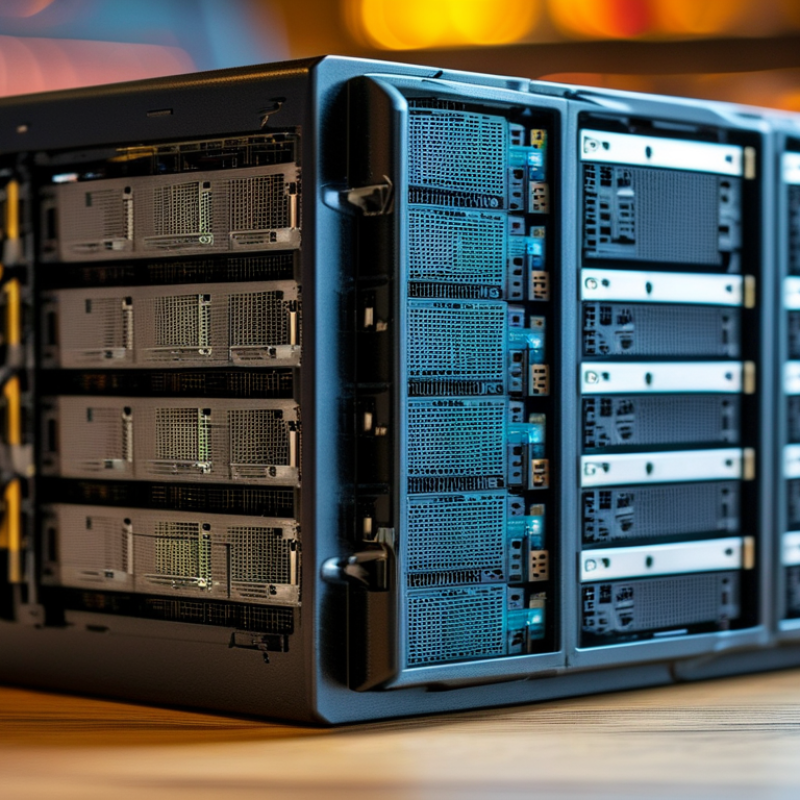
Registered DIMM and UDIMM describe how memory communicates with a server’s memory controller. A UDIMM connects directly to the controller. This design keeps the signal path simple and usually reduces latency slightly. It also supports lower costs and simpler system layouts. However, every memory module adds electrical load to the controller. That load can limit capacity and stability as more modules are installed.
Registered DIMM places a register between the controller and the memory chips. The register holds and reshapes address signals before they continue. This reduces electrical stress on the memory bus. Servers can therefore support more modules and larger memory capacities. The trade-off is a small latency increase and a higher module cost. In practical installations, stable high-capacity memory often matters more than that minor delay.
ECC and registration are different features. A server may require both, but compatibility depends on the processor and motherboard. Mixing UDIMM and RDIMM usually fails, even when their capacity and speed look similar. Check the platform’s memory list before purchasing. I have seen upgrade plans focus on gigabytes while overlooking module type. That mistake can leave expensive memory unused. For light workloads, UDIMM may be adequate. For virtualization, databases, and sustained server operation, RDIMM offers a stronger path for expansion. Still, capacity targets should be verified carefully, because maximum support varies by platform.
Choosing registered or unbuffered memory becomes clearer when you examine how data signals move.
A UDIMM sends address, command, and data signals directly between the memory controller and DRAM chips. This shorter path can reduce latency slightly. However, each added module increases the electrical load on the controller. Reflections and timing errors become more difficult to control. A boot failure may appear only when every slot is occupied. That is difficult to diagnose.
An RDIMM places a register between the controller and the DRAM chips. The register captures and relays address and command signals on the next clock cycle. Data signals still travel directly between the controller and memory chips. This arrangement reduces the controller’s signaling burden. It also supports higher capacities and steadier timing across several modules. The trade-off is an extra clock of command latency.
For some workloads, that delay matters. For virtual machines and large databases, stability often matters more. UDIMM can suit a small server with limited memory demand. It may appear faster in a simple benchmark. That result can mislead.
I once treated lower latency as the complete decision. Full-population testing changed that view. Check supported ranks, slot limits, and memory-controller requirements. Do not mix formats casually.
Neither type automatically means ECC. ECC is a separate feature. Corrected-error logs and sustained-load testing reveal more than a clean benchmark.
When choosing memory for a server, the key question is not speed alone. It is how the system handles capacity, stability, and future expansion. UDIMM sends memory commands directly to the modules. This simpler path can offer slightly lower latency and lower cost. However, electrical loading increases as more modules are installed. That limitation becomes visible in dense configurations. Capacity changes everything.
Registered DIMMs place a register between the memory controller and the DRAM chips. The register reduces direct electrical load on the controller. As a result, servers can support more modules and larger total memory capacities. This design also helps maintain signal integrity across populated channels. In practical work, that can mean steadier operation during virtual machine bursts, database caching, or repeated analytics jobs. The trade-off is a small latency penalty and stricter platform requirements. A registered module cannot simply replace a UDIMM because the processor and motherboard must support the same memory type.
Stability is not magic. Module quality, airflow, firmware, and correct population rules still matter. ECC support should also be checked separately; “registered” describes buffering, not error correction by itself. For a lightly loaded server, UDIMM may be adequate and economical. For a growing host with eight memory slots, RDIMM usually offers more practical headroom. Yet planning only for today can be misleading. I have seen upgrades fail when memory channels were filled without checking rank, speed, or capacity limits. Check the platform manual, balance channels, and reserve space for future workloads.
Choosing RDIMM or UDIMM is not a preference. It is a platform decision.
RDIMMs register command and address signals before reaching the memory chips. This buffering reduces electrical loading on the memory controller. It also supports larger memory populations and steadier signaling. Server processors and motherboards often specify one memory type, not both. Check the CPU memory controller, socket design, BIOS, and validated module list. The JEDEC DDR5 SDRAM standard, JESD79-5C, defines signaling and module requirements. However, it does not guarantee universal compatibility.
A UDIMM may fit physically while failing during POST. Most server platforms prohibit mixing UDIMMs and RDIMMs. ECC support does not make a UDIMM suitable for every server. They are different compatibility categories. According to Uptime Institute’s 2024 Global Data Center Survey, 54% of respondents said their latest outage cost below $100,000, while 20% reported costs above $1 million. Memory validation deserves that level of operational attention.
During testing, populate one channel at a time. Record module rank, capacity, speed, voltage, and thermal behavior. Confirm the board’s population map, because slot order can change supported speeds. Do not assume a lower speed removes every restriction. Firmware may reject an otherwise correct module. I have seen installation teams focus on capacity and overlook rank limits. That mistake is surprisingly expensive. A better review compares the platform manual with the memory vendor’s qualification data, then performs a cold-boot and extended stress test. Some assumptions still survive testing; document them honestly.
Choosing between Registered DIMM (RDIMM) and Unbuffered DIMM (UDIMM) depends on workload, capacity, and failure tolerance. UDIMMs connect memory chips directly to the controller, reducing latency and cost. They suit entry-level servers, small databases, web hosting, and lab environments with modest memory demands. RDIMMs add a register between the controller and memory chips. This reduces electrical load and improves stability when many modules operate together.
Capacity matters more than many buyers expect. JEDEC server-memory standards support error correction for mission-critical systems, while registered designs usually scale more reliably across larger configurations. A widely cited field study of over 2.5 million memory modules found that roughly 8% experienced errors annually. That figure is old, but it remains a useful warning. In practice, I have seen unstable memory appear only after a server was fully populated. The specification looked correct. The airflow and module layout were not.
Tips: Choose UDIMM for light virtualization, file serving, and test servers. Choose RDIMM for virtualization clusters, analytics, databases, and continuous services. Check the processor’s memory support first. Do not mix RDIMM and UDIMM in one system. Also verify rank, speed, capacity limits, and ECC support. A lower-cost UDIMM can be sensible, but saving money may create troubleshooting time later. The best decision is workload-specific, not simply performance-focused.
Qualitative workload-fit comparison based on memory scalability, platform expansion, and latency priorities. Scores range from 1 (less suitable) to 5 (highly suitable); they are not benchmark results.
UDIMM: A practical choice for entry-level servers, edge systems, and lightly expanded workloads where lower cost and lower access overhead are important. RDIMM: Better suited to virtualization, in-memory databases, and other memory-intensive workloads that require higher capacity and stronger scalability across populated memory channels.
UDIMM connects memory chips directly to the processor’s memory controller. This keeps the signal path simple. It usually costs less and offers slightly lower latency.
Registered DIMM places a register between the controller and memory chips. The register reshapes address signals before forwarding them. This reduces electrical stress.
Each module creates electrical load on the memory bus. A register reduces that load. Servers can then operate more modules with greater stability.
No. Registration and error correction are separate features. A server may require both. Check processor and motherboard support before buying.
Usually, they cannot work together in one system. Similar speed and capacity do not guarantee compatibility. Mixing them often prevents successful startup.
UDIMM suits small databases, file serving, web hosting, and test environments. It also fits modest virtualization workloads. Keep the memory target realistic.
Registered DIMM suits virtualization clusters, analytics, databases, and continuous services. It offers a stronger path for expansion. The small latency increase may be acceptable.
Check processor support, motherboard compatibility, ECC requirements, rank, speed, capacity limits, and module layout. Also inspect airflow. A correct specification can still become unstable when every slot is filled.
Not always. UDIMM may reduce purchase costs, but troubleshooting can consume more time later. I have seen upgrades focus on gigabytes while ignoring module type. That mistake deserves reflection.
Registered DIMM vs UDIMM is an important consideration when selecting memory for a server. Registered DIMMs use a register to manage command and address signals before they reach the memory chips, reducing the electrical load on the memory controller. This design improves signal stability and allows servers to support higher memory capacities and more populated configurations. UDIMMs, by contrast, send signals directly to the memory chips, which can provide lower latency and simpler operation but may limit capacity and scalability in demanding systems.
The right choice depends on the server platform and workload. Registered memory is generally better suited to virtualization, databases, enterprise applications, and other environments that require large amounts of reliable, expandable memory. UDIMMs may be appropriate for entry-level servers, compact systems, or workloads with modest capacity requirements. Before purchasing, users should verify the platform’s supported memory type, capacity limits, module combinations, and configuration rules to ensure compatibility, stability, and future upgrade flexibility.

Cynovex