For global server buyers, understanding the RDIMM vs LRDIMM difference is more practical than comparing labels on a product page. The choice affects capacity, memory channels, bandwidth, power use, firmware support, and long-term upgrade costs.
Dr. Frank Hady, an IBM Fellow associated with buffered-memory architecture, has explained: “LRDIMMs reduce the electrical load on the memory controller by buffering the memory data signals.” That sentence captures the central distinction. RDIMMs register command and address signals, while LRDIMMs also use data buffers. The result can be higher memory capacity, especially in dense servers with many populated slots.
But higher capacity is not automatically better. An LRDIMM may cost more, consume additional power, and require a server platform designed for it. An RDIMM often delivers a simpler and more economical configuration. Mixing the two types is usually unsupported, even when the module sizes appear identical.
The details matter.
A buyer comparing two 2 TB server configurations should check the processor generation, maximum supported DIMM rank, memory speed, voltage, slot population rules, and BIOS version. A small compatibility mistake can leave expensive modules unused.
This guide examines seven practical RDIMM vs LRDIMM difference points for international purchasing teams. It also considers supply consistency, vendor documentation, warranty terms, and regional replacement availability. Some recommendations remain conditional. Workloads change, product families differ, and specifications are occasionally misunderstood. That is why verified platform documentation should outweigh a supplier’s attractive headline.
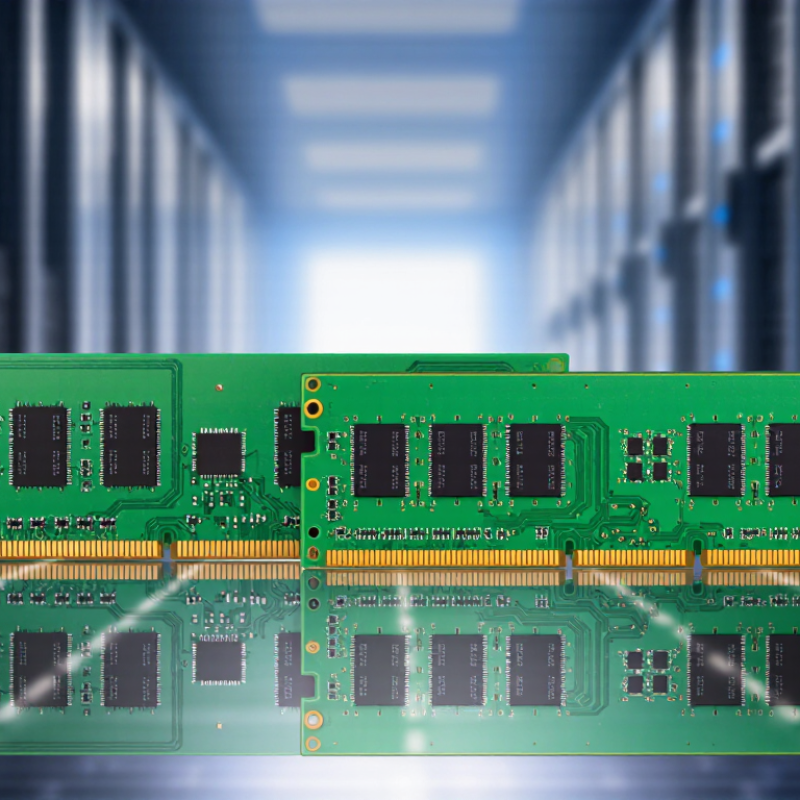
For global buyers, RDIMM and LRDIMM are not interchangeable DDR5 choices. JEDEC’s JESD79-5C defines the DDR5 memory foundation, while its JESD82-series module standards specify registered and load-reduced designs. An RDIMM places a register between the memory controller and command/address signals. This reduces electrical loading and improves signal integrity. An LRDIMM adds data buffers, isolating the controller from more DRAM devices.
The practical difference appears in capacity and platform support. RDIMMs usually offer lower complexity and broad server compatibility. LRDIMMs can support denser configurations because their data buffers reduce the load on the memory channel. However, they may require additional power, firmware validation, and specific motherboard support. More capacity is not automatically better. Check the server’s memory population rules, supported ranks, maximum speed, and slot topology.
TrendForce estimated that DDR5 would exceed 50% of server DRAM shipments in 2024, showing how quickly DDR5 platforms are expanding. Yet product labels can mislead buyers. JEDEC compliance does not guarantee universal interoperability. Review the module’s SPD data, PMIC design, operating voltage, and thermal limits. In deployment reviews, a small mismatch can leave expensive memory unused. That is the uncomfortable part. A capacity-first decision often overlooks bandwidth balance, cooling airflow, and actual workload behavior. Test both options under sustained load before final procurement.
| Tip | Buying Dimension | DDR5 RDIMM | DDR5 LRDIMM | Practical Guidance for Global Buyers |
|---|---|---|---|---|
| 1 | JEDEC Definition | A registered memory module that uses a register or clock-driver architecture to reduce the direct electrical load on the memory controller. | A load-reduced registered module that adds data-buffer devices between the host memory interface and the DRAM components. | Both are standardized DDR5 registered module categories under JEDEC specifications, but they are not interchangeable module types. |
| 2 | Signal Loading | The register reduces the command, address, and control loading seen by the memory controller, while DRAM data connections still contribute to the module load. | Data-buffer devices further isolate the host data bus from the DRAM chips, allowing the platform to manage a larger memory population more effectively. | Choose LRDIMM when the server design prioritizes a higher memory population or greater capacity per memory channel. |
| 3 | Maximum Capacity | Capacity is determined by the DRAM density, module organization, rank structure, and the server platform. RDIMM capacity is often sufficient for mainstream server workloads. | The buffered architecture is intended to support higher-capacity module designs and larger total memory configurations, subject to platform validation. | Do not select by module capacity alone. Verify the system’s supported module type, maximum capacity per slot, rank limits, and total memory ceiling. |
| 4 | Performance and Latency | Typically offers lower module-side buffering overhead than LRDIMM, although actual performance depends on data rate, timings, rank count, memory population, and platform firmware. | The data buffer introduces additional module logic and may add latency compared with an equivalent RDIMM, while enabling higher-capacity configurations. | For latency-sensitive workloads with moderate capacity requirements, RDIMM is often the simpler choice. Benchmark the complete platform before making a final decision. |
| 5 | Power and Thermal Planning | Generally has fewer active buffering components than LRDIMM and may have lower module-level power at a comparable configuration. | Uses additional data-buffer circuitry, which can increase module-level power and heat; however, the system-level electrical benefit can be valuable in high-capacity memory designs. | Check the module’s operating power, thermal profile, airflow requirements, and the server’s validated memory population rather than relying only on the module label. |
| 6 | Compatibility and Mixing | Requires a platform designed and validated for DDR5 RDIMM operation. It should not be mixed with LRDIMM in the same memory system unless the platform documentation explicitly permits it. | Requires a platform with specific LRDIMM support. LRDIMM and RDIMM are normally incompatible when installed together in one system. | Confirm the motherboard or server support list, memory-channel population rules, supported ranks, and firmware requirements before placing an international order. |
| 7 | Cost, Availability, and Use Case | Usually offers a simpler design and is commonly selected for virtualization, databases, general server workloads, and deployments where capacity targets are moderate. | The additional buffer circuitry can increase unit cost, but it may reduce the need for more memory channels or additional servers in capacity-focused applications. | Compare total cost of ownership, including module price, validated capacity, power, cooling, expansion needs, warranty terms, and regional supply availability. |
An RDIMM uses a register for command and address signals. An LRDIMM also buffers data signals. This reduces channel loading.
Data buffers isolate the controller from more DRAM devices. This can enable denser configurations. More capacity is not always better.
Usually, no. The server, processor, firmware, and motherboard must support the chosen type. Do not mix them without explicit documentation.
Check slot topology, supported ranks, maximum speed, SPD data, voltage, and thermal limits. One label cannot prove compatibility.
No. Capacity, rank count, speed, and power-management efficiency also affect consumption. The label misled me once. I should have checked rack-scale heat.
No. On-die ECC protects internal memory operations. The processor, motherboard, and module need a compatible server-level ECC path.
Measure inlet power, DIMM temperature, and corrected-error logs during sustained workloads. Test at the intended speed, density, and ambient temperature. Short tests can flatter bad choices.
RDIMMs often suit balanced capacity, broad compatibility, and predictable workloads. They can simplify validation. That is not a guarantee.
Consider LRDIMMs when dense capacity matters and the platform supports them. Compare buffer power against the number of modules avoided. Capacity alone should not decide.
Understanding the RDIMM vs LRDIMM difference is essential for global buyers planning reliable DDR5 server memory. Under JEDEC DDR5 module standards, both registered and load-reduced DIMMs use ECC and buffering, but they handle electrical loading differently. RDIMMs are often suitable for balanced systems using one or two DIMMs per channel, while LRDIMMs can support greater capacity and more complex configurations, including 3DS designs, by reducing the load seen by the memory controller.
When comparing options, buyers should evaluate DDR5-5600 bandwidth, latency, rank loading, and the practical limits of 1-DPC, 2-DPC, and 3DS RDIMM configurations. DDR5 operating near 1.1 V can improve efficiency, but buffer requirements, thermal conditions, and long-term reliability still need careful review. Final selection should match the processor’s QVL, socket capacity, platform firmware, budget, and workload. Memory-intensive virtualization, analytics, and database applications may justify higher-capacity modules, while mainstream workloads may benefit from the simpler and more economical RDIMM approach.

 Cynovex