Buying premium DDR5 memory is only the beginning. A reliable DDR5 overclocking guide must explain what happens after installation, when a system must survive long workloads, cold boots, and daily gaming. Global buyers face extra variables, including regional product names, different motherboard bundles, warranty terms, and limited return windows.
Roman “der8auer” Hartung, a respected German overclocker and hardware educator, expresses the central principle clearly: “The best overclock is not the highest clock; it is the highest stable clock.” That idea shapes this guide. We examine memory IC quality, XMP and EXPO profiles, motherboard QVL support, voltage limits, and cooling around the DIMM slots. Small details matter. A 2×24GB kit may behave differently from a 2×32GB kit, even at the same advertised speed.
Expect practical testing, not guaranteed numbers. A kit rated at DDR5-6000 may reach higher speeds, but the result depends on the CPU’s memory controller, BIOS version, board layout, and silicon quality. Some settings boot successfully yet fail after several hours. That is where many buyer guides become too optimistic.
We will use repeatable checks, including memory stress tests, application workloads, and cold-boot testing. Errors can hide behind a smooth desktop. They should not be ignored. This guide also notes where recommendations remain uncertain, because overclocking is never perfectly predictable. The goal is sensible performance, stable operation, and informed purchasing across global markets.
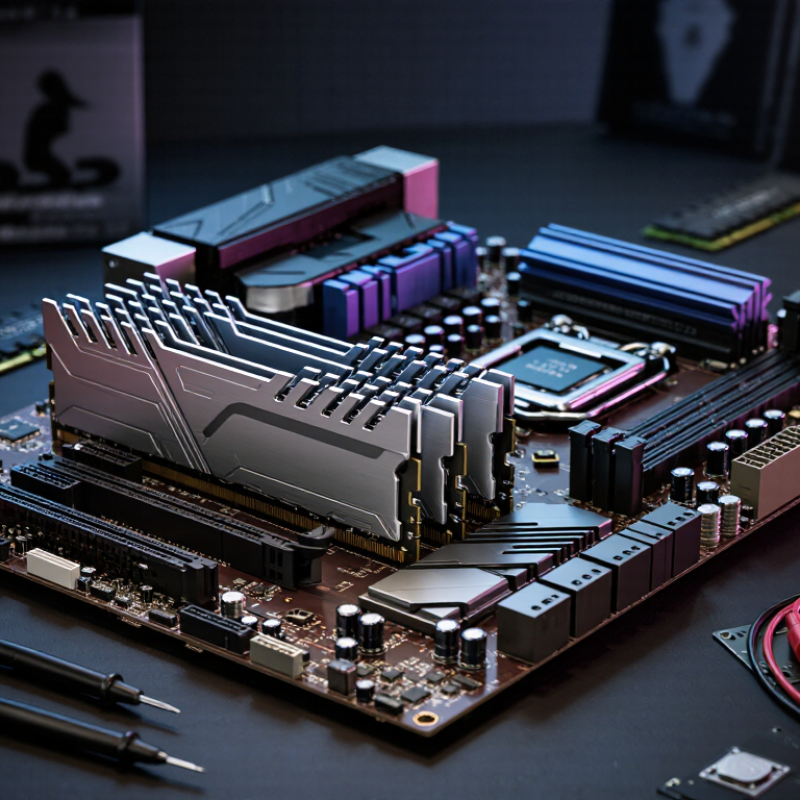
China Top DDR5 Overclocking Guide for Global Buyers
Understanding China-Market DDR5 Kits and Global Compatibility
China-market DDR5 kits can offer attractive speeds and capacities, but compatibility matters more than headline numbers. Check whether the kit is standard desktop UDIMM memory, not a laptop module or registered server module. Confirm its capacity, rank layout, voltage, and rated frequency against your motherboard manual.
A reliable installation begins with the motherboard’s memory support list and a recent firmware version. Some kits boot at a safe JEDEC speed before applying a higher performance profile. That is normal. A profile may still fail because of processor limits, board design, or mixed memory modules. Use one matched kit. Avoid combining separate packages, even when their labels look identical. Stability testing should include several hours of memory testing and normal workloads. Short tests can miss errors.
Tips: Keep the first setup conservative. Enable the memory profile only after confirming stable booting. Record voltage and timing changes. If crashes appear, reduce frequency slightly before increasing voltage. Do not ignore temperature readings. I would also keep the original settings saved, because overclocking results are never guaranteed. Regional warranty terms and seller support deserve attention too. A low price becomes less useful when returns are difficult.
| Data Dimension | Common China-Market Configuration | Technical Meaning | Global Compatibility Considerations | Overclocking Guidance |
|---|---|---|---|---|
| Memory Generation | DDR5 | DDR5 uses two independent 32-bit subchannels per module and generally operates at a lower voltage than DDR4. | Compatibility depends on the motherboard memory slots and processor memory controller. DDR5 modules cannot be installed in DDR4-only slots. | Confirm that the motherboard firmware officially supports DDR5 before purchasing. |
| Standard Data Rate | DDR5-4800, DDR5-5200, DDR5-5600, or DDR5-6000 are frequently encountered. | The data rate describes millions of transfers per second. DDR5-6000 means 6000 MT/s, not a 6000 MHz physical clock. | Standard JEDEC profiles are normally the safest option across regions and platforms, although the maximum supported speed is platform-dependent. | Start with the highest stable JEDEC setting, then enable a tested performance profile or tune manually. |
| Performance Profile | Profile data may use an extended memory profile supported by the processor and motherboard ecosystem. | Profiles store preset frequency, voltage, and timing values in the module’s SPD memory. | A profile designed for one processor ecosystem may not appear or operate correctly on another. Manual settings may be required. | Keep a backup of the default profile and test stability after every frequency or timing change. |
| Typical Capacity per Module | 16 GB, 24 GB, 32 GB, 48 GB, or 64 GB modules. | Capacity is determined by the memory chips, rank arrangement, and module design. | Large-capacity modules require motherboard firmware and processor support. Check the board’s qualified memory list when using 48 GB or 64 GB modules. | Two modules are usually easier to run at high speed than four modules of the same total capacity. |
| Common Kit Layout | 2 × 16 GB2 × 24 GB2 × 32 GB | A matched two-module kit places less electrical load on the memory controller than a four-module configuration. | Use the recommended motherboard slots, commonly the second and fourth slots counted from the processor socket, unless the board manual specifies otherwise. | For a first overclocking attempt, a matched two-module kit is generally the most practical starting point. |
| Four-Module Configuration | 4 × 16 GB or 4 × 32 GB configurations are available. | Four populated slots increase signal loading and can reduce the maximum stable data rate. | A kit made from two separate packages is not guaranteed to behave like a factory-matched four-module kit, even when the specifications look identical. | Expect to reduce frequency, increase memory-controller training time, or use more conservative timings. |
| Nominal DDR5 Voltage | Approximately 1.10 V for standard JEDEC operation. | Higher-performance profiles commonly use more voltage than the baseline specification. | Verify the profile voltage in firmware rather than relying only on a marketplace listing or translated product description. | Increase voltage gradually and remain within the limits recommended by the processor and motherboard documentation. |
| Performance Voltage Range | Many enthusiast profiles fall near 1.25–1.45 V, depending on speed, timings, and module design. | Voltage can improve signal margin, but it also increases heat and long-term electrical stress. | Voltage tolerance is platform-specific. A setting stable on one processor may be unsafe or unnecessary on another. | Use the lowest voltage that passes extended stability testing; do not copy values from unrelated systems. |
| Primary Timings | Typical specifications list CAS latency, tRCD, tRP, and tRAS, such as CL30–CL40 for many performance-oriented kits. | Lower timings can reduce latency, but frequency, capacity, rank arrangement, and memory-controller quality also affect performance. | Timing labels may be translated inconsistently in listings. Confirm the complete timing set in firmware or with a hardware information utility. | Change one timing group at a time and compare measured latency with stability results. |
| AMD-Oriented Tuning Target | DDR5-6000 is a commonly used practical tuning target on many current desktop platforms. | Memory performance depends on the relationship between memory speed, memory-controller speed, and fabric or interconnect settings. | Not every processor, motherboard, or 48 GB/64 GB configuration will reach the same speed. | Treat DDR5-6000 as a starting point, not a guarantee. Stability is more important than the advertised profile. |
| Intel-Oriented Tuning Target | Supported speeds vary widely by processor generation, motherboard design, module capacity, and firmware. | Many systems can operate above the official processor specification, but this is considered memory overclocking. | Check the motherboard’s memory support list and the processor’s official memory specification for the exact platform. | Use incremental testing because high-frequency operation may require adjustments to memory-controller-related settings. |
| Memory Chips and Binning | China-market listings may identify chip type, capacity, or a tested speed grade, but information can vary between production batches. | Different chip revisions can have different frequency, timing, and voltage behavior even under the same advertised kit speed. | Do not assume two kits with identical retail specifications use identical chips. | Read the actual SPD and test the installed kit. Overclocking results are not transferable between batches. |
| SPD and Firmware | Module SPD data may contain baseline JEDEC values and one or more extended performance profiles. | The motherboard reads SPD information during memory training and startup. | Update the motherboard firmware if a supported kit is not detected correctly, but use only firmware intended for the exact board model and region. | After updating firmware, recheck memory voltage, frequency, timings, and training behavior because settings may reset. |
| Motherboard QVL | Qualified Vendor Lists may include only a subset of modules sold in China or through international marketplaces. | A QVL is a tested compatibility list, not a complete list of all compatible memory. | A kit absent from the QVL may still work, but compatibility risk is higher with unusual capacities, four modules, or very high frequencies. | Prioritize kits with similar capacity, rank layout, and speed to those already validated by the motherboard manufacturer. |
| Boot Training Time | High-capacity or high-speed DDR5 configurations may take longer to start after a setting change. | Memory training calibrates signal timing and voltage relationships during boot. | Repeated restarts after enabling a profile do not automatically mean the memory is defective. | Allow several training cycles, then clear CMOS or use safe-mode recovery if the system fails to boot consistently. |
| Operating System Stability | Successful booting does not prove that an overclock is stable. | Memory errors can appear only under heavy workloads, long sessions, or specific applications. | Use independent stability tests rather than relying only on normal desktop use or a single benchmark. | Run a memory-focused test, a processor-and-memory workload, and several hours of real-world applications. |
| Thermal Behavior | DDR5 modules include a power-management integrated circuit and may become warm during high-voltage operation. | Temperature can affect stability, especially at elevated voltage or inside restricted airflow cases. | Heat spreader appearance does not guarantee a specific thermal result. | Maintain adequate case airflow and monitor memory-related temperatures where the platform exposes them. |
| Regional Compatibility | Core electrical standards are international, while packaging, manuals, firmware language, and support channels may differ by market. | The memory module itself normally does not require a country-specific electrical standard. | Confirm return terms, warranty coverage, documentation language, and import restrictions before buying from an overseas marketplace. | Prefer listings that clearly state capacity, module count, voltage, timings, profile type, and tested data rate. |
| Recommended Buyer Checklist | Match the kit to the motherboard memory type, processor platform, required capacity, and intended speed. | Compatibility is determined by the complete platform rather than by the memory kit alone. | Avoid purchasing based only on headline speed or low price. Check firmware support, QVL information, seller return policy, and kit configuration. | Choose stability and capacity first, then optimize frequency, timings, and voltage in small steps. |
| Data reflects common DDR5 specifications and practical platform behavior. Actual results depend on the processor’s integrated memory controller, motherboard layout, firmware version, module capacity, memory-chip characteristics, ambient temperature, and the quality of the individual sample. | ||||
Check motherboard support, CPU memory-controller limits, firmware, cooling, and total system power. Start with two modules in the recommended slots. Compatibility matters more than the memory label.
No. A processor may list a high speed but fail with four installed modules. Silicon quality varies. Start at the rated profile, then increase frequency carefully.
DDR5’s standard VDD and VDDQ voltage is 1.1 volts. Overclocked settings usually exceed this level. Higher voltage creates more heat near the memory regulators.
Change one setting at a time. Raise frequency gradually, or loosen timings when errors appear. Keep written records. Start small.
Yes. Updated firmware can improve memory training and compatibility. However, newer firmware is not always better. Record boot times, failed restarts, and training behavior before changing versions.
Use front intake and rear exhaust airflow. Keep cables away from the memory slots. Monitor memory temperature with a reliable sensor, when available. Heat matters.
Run a memory-focused stress test for several hours, preferably around 24 hours. Then test applications, restarts, and wake-ups. One successful benchmark proves very little.
Watch for crashes, failed boots, silent file errors, and failed wake-ups. Reduce voltage only when stability allows. Otherwise, lower frequency or improve airflow. I once trusted one benchmark too much; that judgment was optimistic.
Usually, memory alone does not require a major power-supply upgrade. Still, evaluate the whole system load. Higher memory voltage adds heat, even when total power increases modestly.
No. A slightly slower setting may survive long testing and daily use better. Peak numbers look impressive. Reliability matters more.
This DDR5 overclocking guide explains how global buyers can evaluate memory kits sold for the China market while confirming compatibility with their motherboard, processor, firmware, and power supply. Before making changes, users should check supported memory specifications, update firmware when appropriate, ensure adequate airflow, and establish a safe baseline using default settings. Careful preparation helps reduce the risk of instability, data corruption, or unnecessary component stress.
The guide then presents a step-by-step approach to increasing memory frequency, adjusting timings, and tuning voltage in small increments. After each change, users should run extended stability tests, monitor temperatures and system behavior, and return to the last stable configuration if errors appear. Results can be compared by examining performance gains, latency, power use, and reliability rather than focusing only on peak speed. This balanced method helps buyers make informed decisions and achieve practical, dependable DDR5 performance.

 Cynovex